GigFlow Editor · Browser
The comfort of the keyboard, the precision of the mouse.
Freedom for the stage.
Big screen, keyboard, mouse — prepare your songs and setlists in the best conditions. One export, and you're on stage with Live or InBeat.
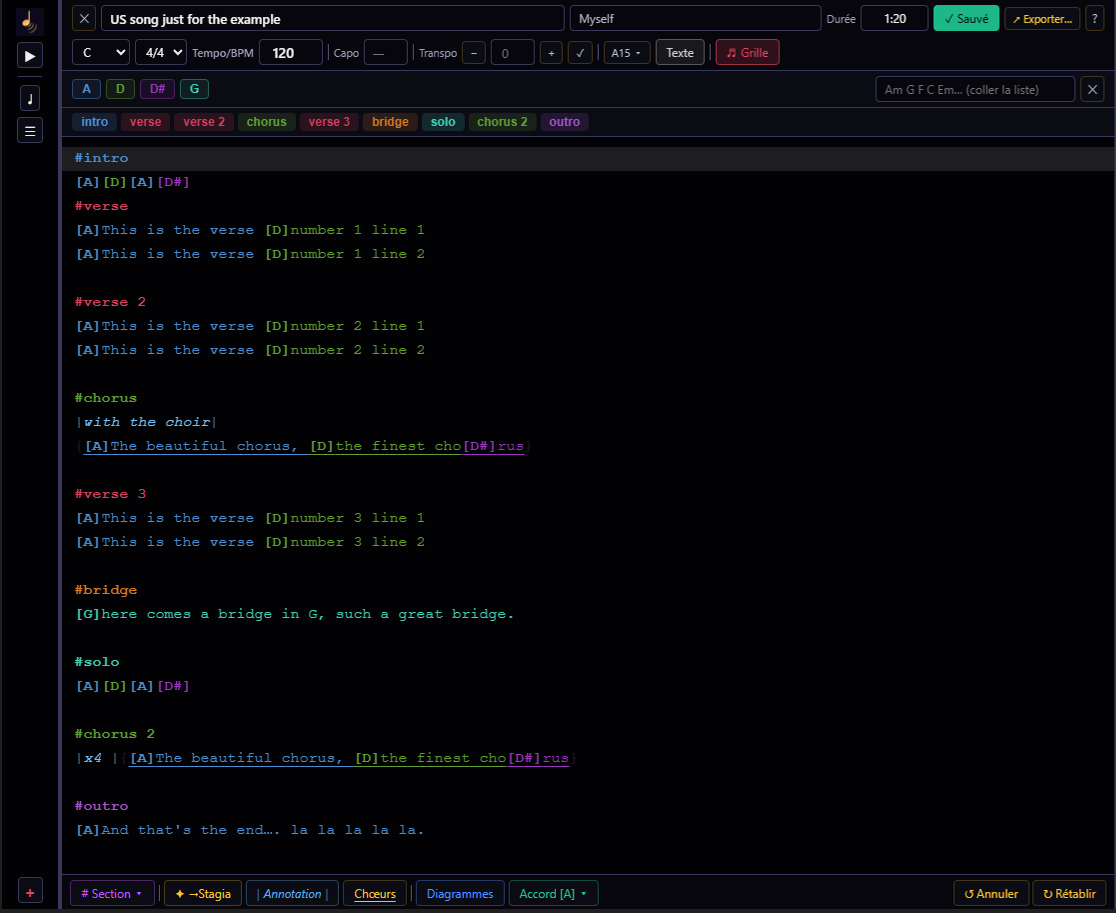
Open it in your browser, on PC or Mac — no installation needed.
The essentials
Everything you need. Nothing more.
Fast entry
Stagia Format syntax — lightweight, intuitive, color-coded.
Real-time preview
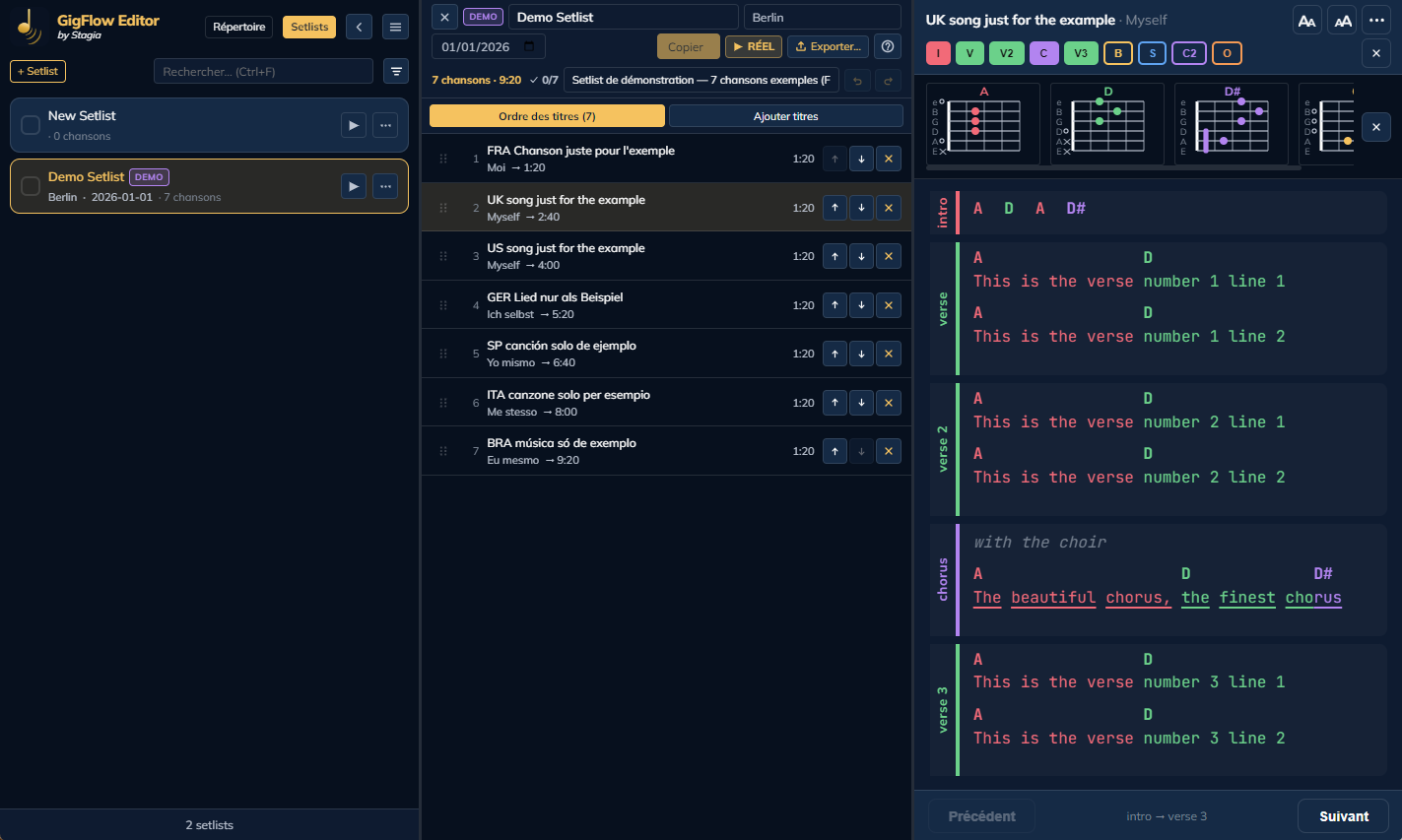
Syntax highlighting and instant rendering as you type.
Editing tools
Transposition, capo, built-in chord diagrams.
Export to Live & InBeat
JSON ready to import on your tablet in one click.
No installation
Launch it from your browser on PC or Mac — nothing to install. An internet connection is needed to open it.
Chord diagrams
The main chords with visual diagrams — 157 chords, 242 positions.
Editing
Three ways to start a song.
Manual entry
Start from a blank song and write directly in the editor.
Copy/paste
Paste lyrics and chords from another source — auto-formatted, then adjust it directly in the editor.
PDF import
Extracts the text from an existing PDF, with a dedicated review before import — then normal editing, like any other song.
Write a song as fast as you sing it.
Keyboard, mouse, big screen — GigFlow Editor is built to prepare songs and setlists at your own pace. Lightweight syntax, real-time coloring, instant preview.
Section navigation
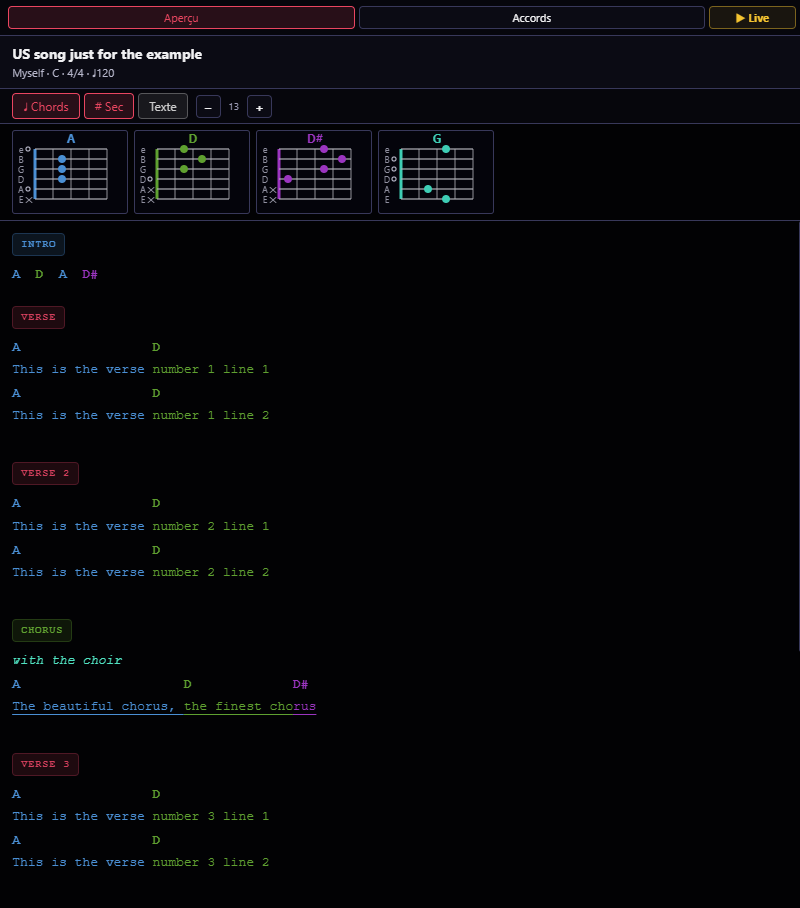
Jump between sections in one click, as you write.
Every section detected in the text becomes a colored button at the top of the editor — intro, verse, chorus, bridge... One click to get there, no scrolling. Library on the left, editor in the center, preview and chords on the right: everything stays in view at once.
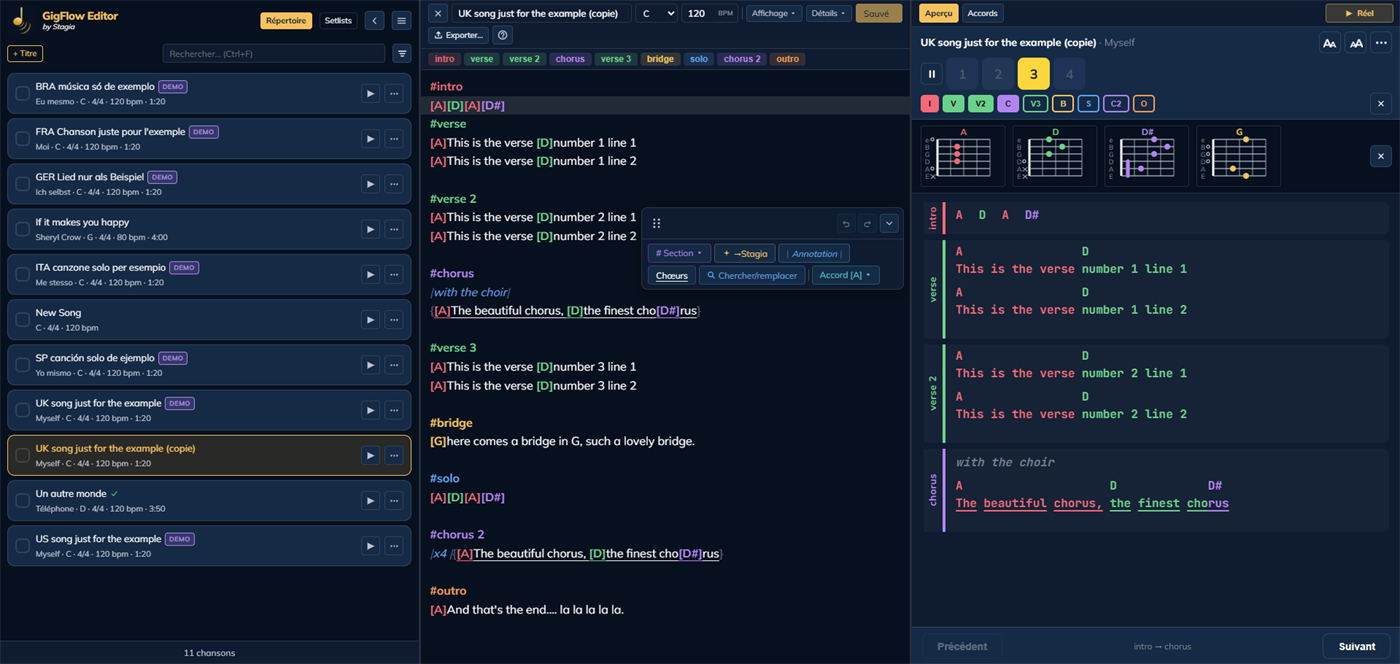
A syntax designed for musicians.
Simple plain text — chords, sections, annotations, backing vocals. Every chord has its color, the song structure is readable at a glance.
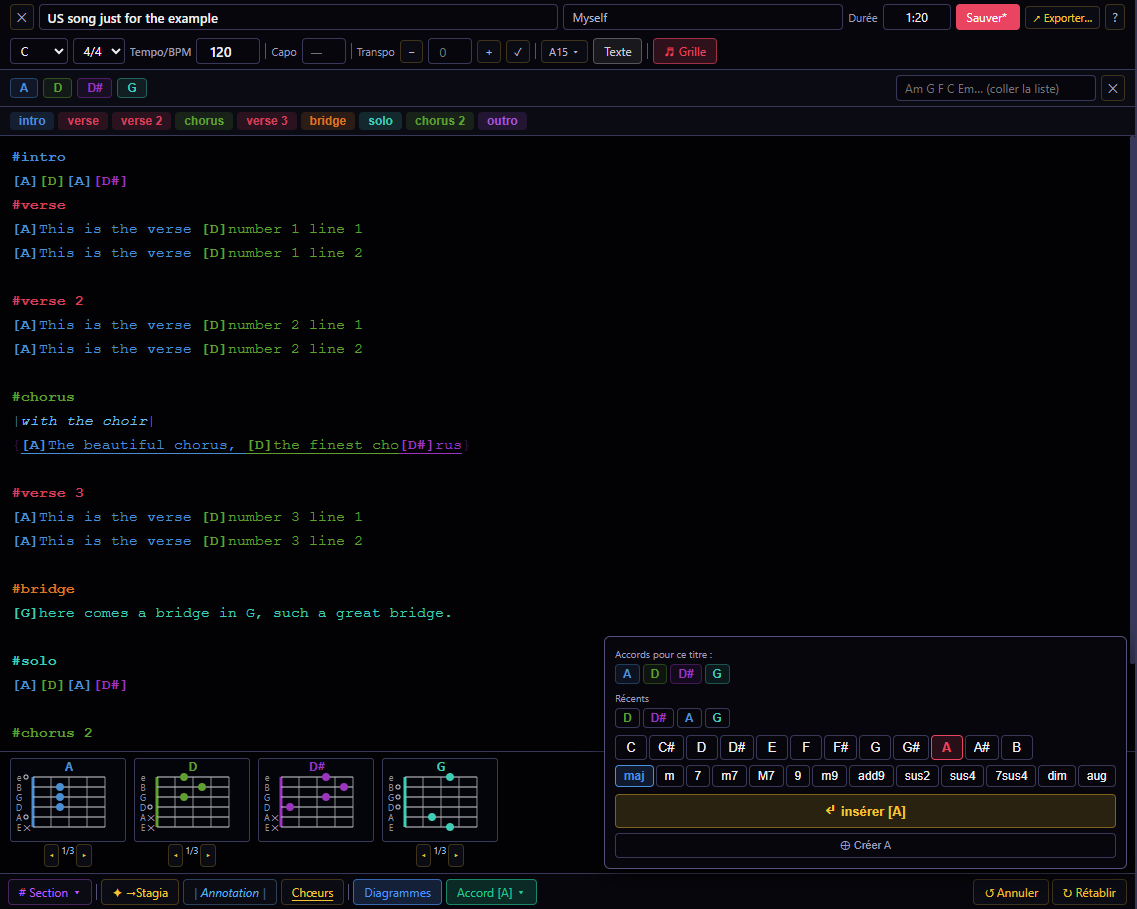
Every detail of a song, mastered in a few clicks.
All the tools for tailored editing.
Build your setlist, in show order.
Name, venue, notes — every setlist has its own sheet. Sort your songs into categories, add them from your library, drag and drop to reorder, preview each song before exporting — the setlist reaches Live in the right order, with every song checked.
Prepare on PC. Take the stage with your tablet.
Export your songs or setlists from Editor — import them into GigFlow Live or InBeat on your tablet or smartphone. That's it.
Stagia ecosystem
Designed to work with the rest of the stage.

PC · Mac · Browser
Ready to prepare your next show?
Open it in your browser, on PC or Mac — no installation needed.