GigFlow Live · Android
Play without
losing your place.
Lyrics, chords, setlist — all in view without touching the screen. Simple, reliable, built for the stage.
Singer changes the setlist order at the last minute? GigFlow Live keeps up without a hitch — drag, reorder, keep playing.
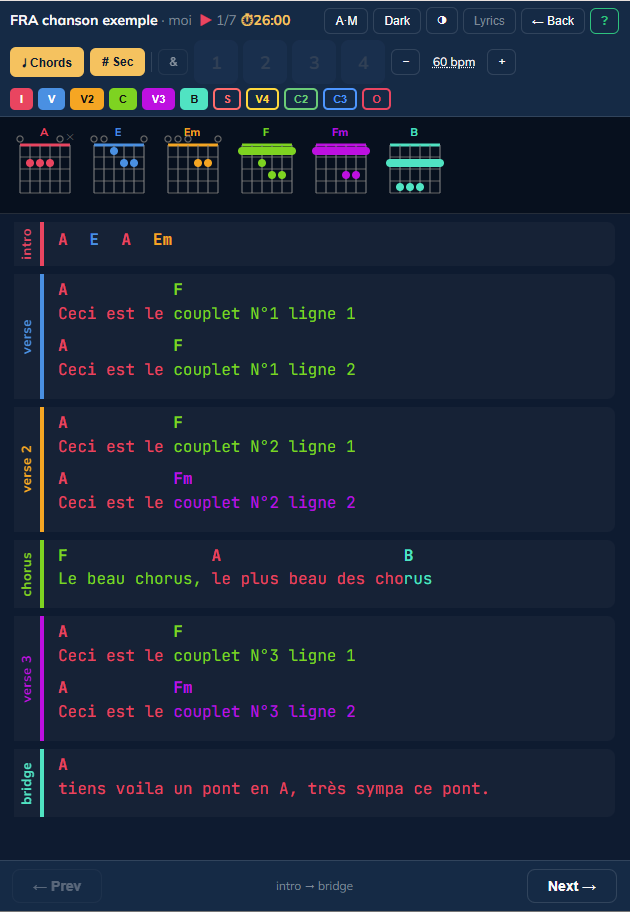
GigFlow Live adapts to your needs — activate only what you need.
The essentials
Simple. Efficient. Built for the stage.
Hands-free navigation
Turn pages with a Bluetooth pedal, without letting go of your instrument.
Readable anywhere
Adjustable brightness and contrast — rehearsal, dark venue, or bright sunlight.
Remaining time, live
The remaining duration of your setlist is always visible during the show.
100% offline
No connection, no account required. Your data stays with you.
Free trial, one-time purchase
Start for free, unlock everything at once. Never a subscription.
Import from GigFlow Editor
Prepare songs and setlists on PC, import them in one click on your tablet.
Digital repertoire
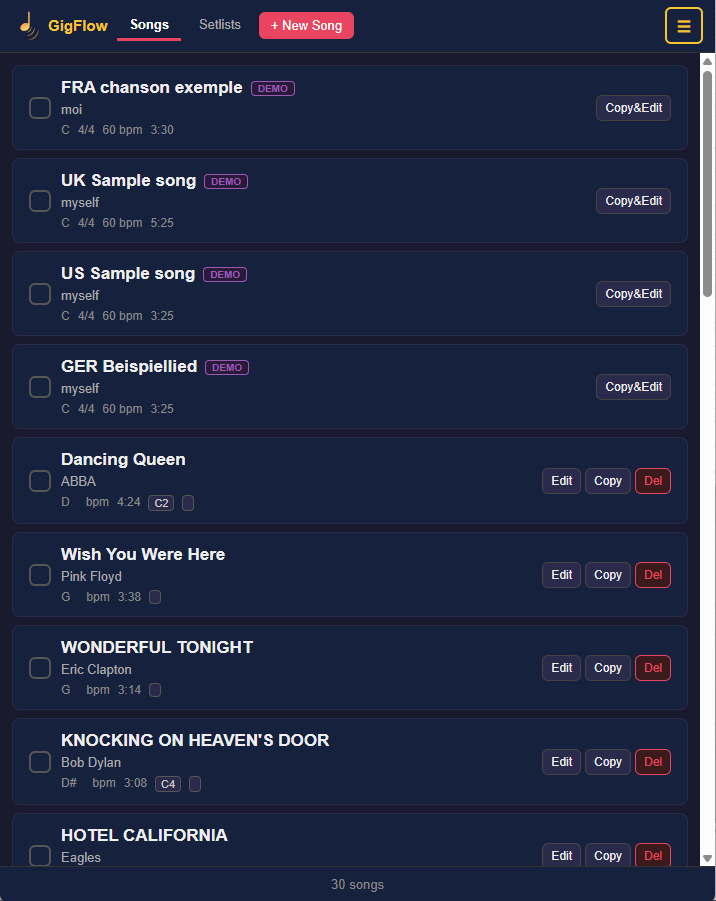
Your whole repertoire, one tap away.
Access any song instantly — no connection, no stress. Search, key, tempo, and duration all in view, ready for the stage. Sort your songs into categories and filter by artist or by category.
Setlists
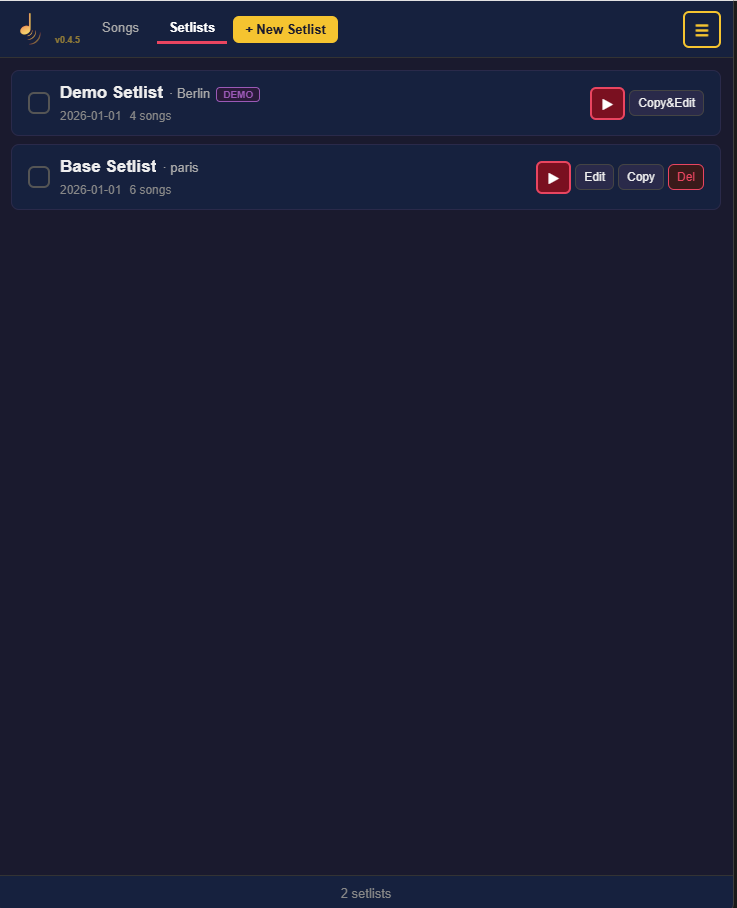
Build your show, launch it in one tap.
Create your setlists, reorder by drag-and-drop, add venue and date. Select several songs from your library and create a setlist in one tap, no retyping. Total duration is calculated automatically. Launch the show — and stay in control from start to finish.
Stage mode
Built for the stage, not the desk.
Full-screen display optimized for playing. Every chord has its own color — you anticipate changes at a glance. Brightness and contrast adjustable on the fly, remaining time always displayed.
- Colored chords, sections marked as you choose
- Full screen, large text readable from 1 meter
- Built-in visual metronome — strong/weak beats at a glance, without leaving the screen
- Center marker line — keeps your eye in the right spot as the text scrolls
- Chord grid — hide the lyrics to keep only the chords


Section navigation · Progress bar
Jump to the intro, the chorus, the bridge — without losing your place.
A row of colored pills at the top of the screen represents each section of the song. One tap takes you straight there. Sections are never split across two pages.
Built-in editor
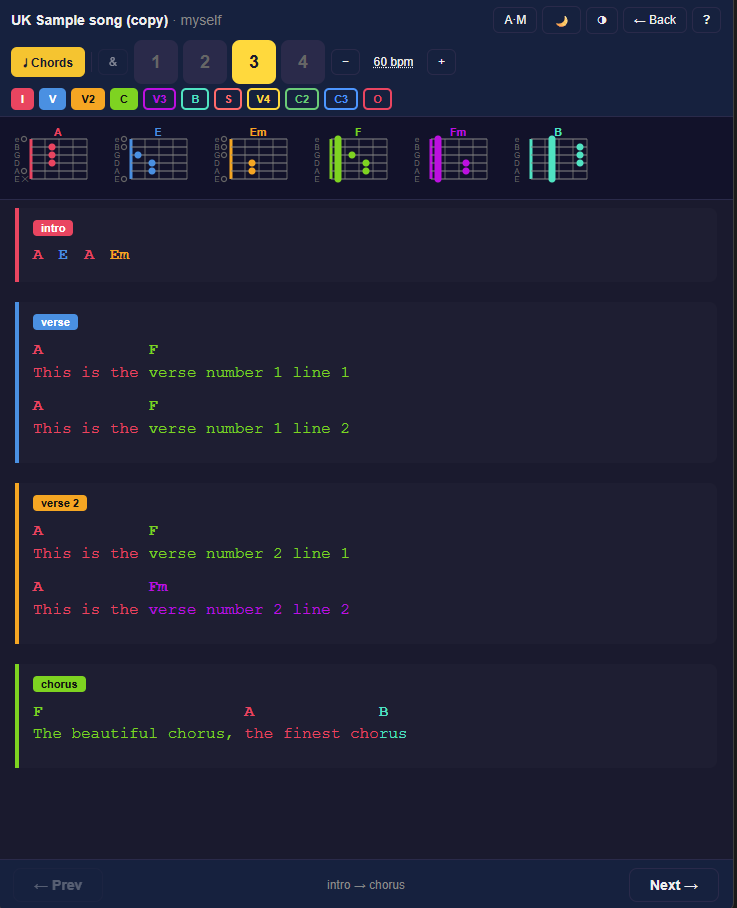
Edit, fix, create — without ever leaving the app.
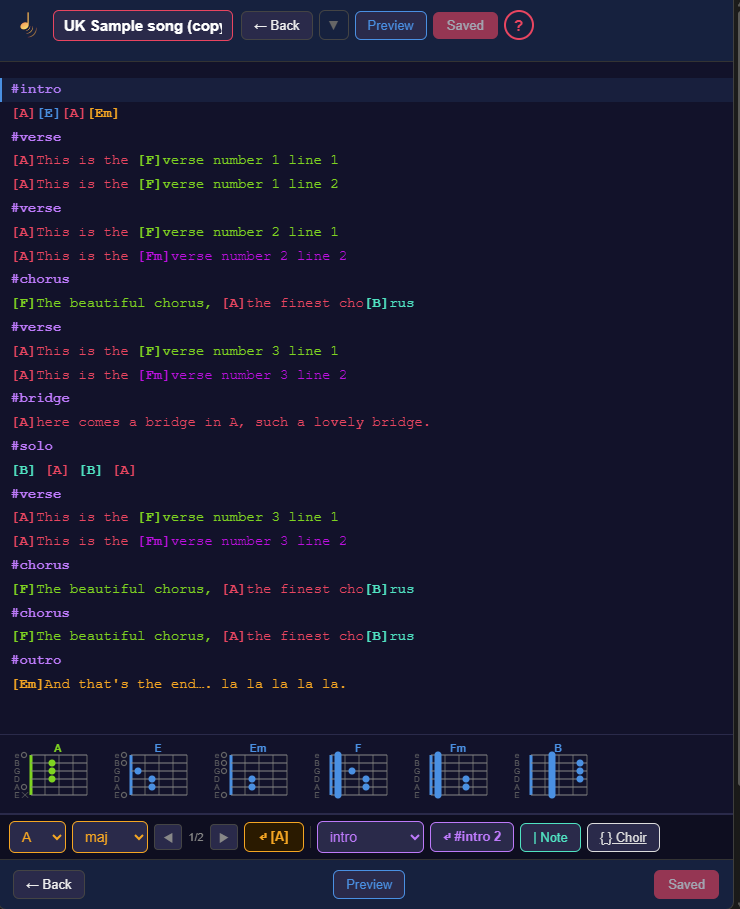
A chord or lyric to fix at the last minute? It takes ten seconds, right from Stage mode. You can also create a full song or setlist from your tablet (or your smartphone), no PC required.
- Lyrics and chords editable in seconds
- Create songs and setlists from mobile or tablet
- Transpose + Capo — shift every chord in a song in one tap
- Tap tempo — tap along to the beat, BPM sets itself
Frequently asked questions
Everything you need to know before you hit the stage.
Does GigFlow Live work without an internet connection?
Yes. GigFlow Live is 100% offline: no connection required, no account to create. Your setlists and repertoire stay stored on your device.
How do I import setlists I prepared on PC?
Prepare your songs and setlist in GigFlow Editor, then import the file into GigFlow Live in one click — no retyping. You can also build everything directly in Live on mobile or tablet, but Editor stays more comfortable for full setlist prep.
Do I need a subscription?
No. GigFlow Live unlocks with a one-time purchase after the free trial — never a subscription, never recurring fees.
Can I turn pages without touching the screen?
Yes, via a compatible Bluetooth pedal — handy when your hands are busy with your instrument.
Is GigFlow Live compatible with InBeat?
Yes. Both apps share the Stagia ecosystem: each song's tempo can be loaded automatically into InBeat from your GigFlow Live setlist.
Android · available on Google Play
Ready to hit the stage?
Free trial · One-time purchase · No subscription.
Stagia ecosystem
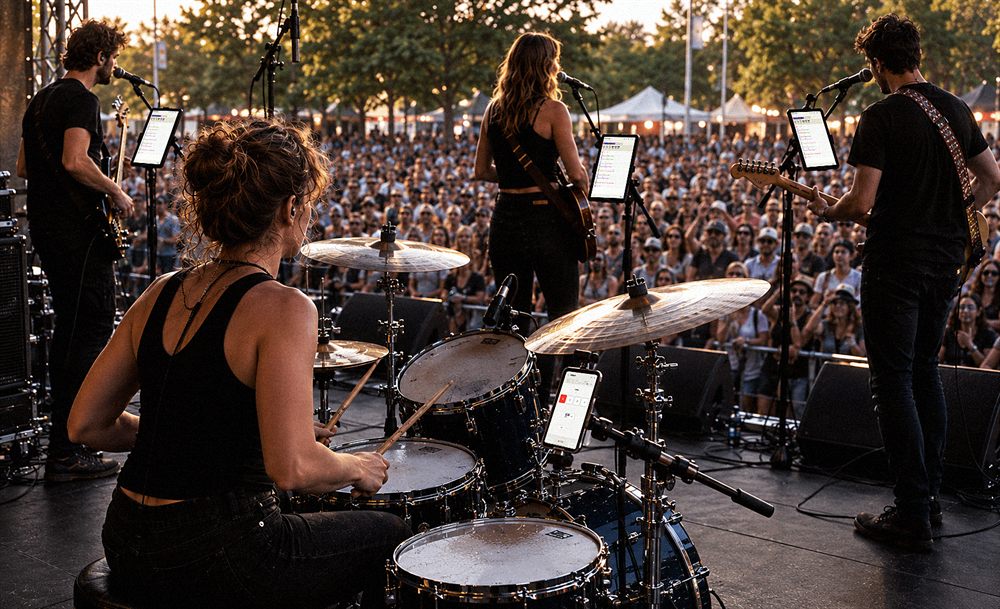
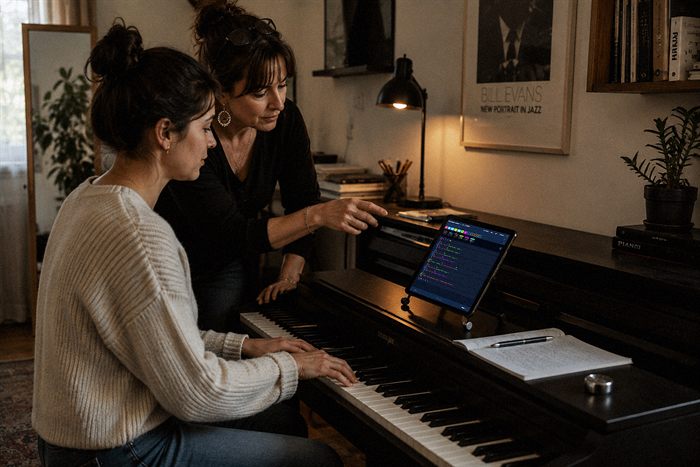
An ecosystem that adapts to any lineup.
On stage, full band
As a duo, at home